

If you’ve followed the link to read this article, you are most likely aware of the fact that modern software development depends on CI/CD. The pipelines automate how the DevOps teams build, test, and ship code. That also makes CI/CD a high-value target for a cyberattack.
For an untrained eye, CI/CD looks “technical enough” to be safe by default. Yet, in reality, if someone gets into an insecure pipeline, they get into everything. Attackers can slip malicious code into your ecosystem, harvest company secrets, or jump from your runners into critical systems. I wish it were only a scary hook to sell you a security app.
On top of that, Verizon’s 2025 Data Breach Investigation Report unveils that third-party breaches doubled over the year, rising from 15% to roughly 30%. Those numbers include incidents involving SaaS, vendors, and external services often connected with CI/CD workflows. Subsequently, a compromised pipeline puts your code at risk, stalls deployment, breaks releases, and causes you to lose money.
Let me steer you away from going down that road. In this article, I’ll do my best to help you learn what common CI/CD pipeline security challenges you might face and the 7 best practices to secure every stage.
What Is CI/CD Pipeline Security?
In simple words, CI/CD pipeline security is a process of embedding protection into every step of continuous integration (CI) and continuous delivery (CD), rather than treating security as an afterthought.
Say we imagine software updates moving through an assembly line. On various stages, code is compiled, tested, scanned for bugs and security issues, and finally packaged for deployment. CI ensures every piece of the code fits seamlessly with the rest, while CD guarantees the finished product reaches users fast and with no curveballs. Pipeline security is about taking steps to protect that assembly line at every stage.
Unlike traditional app security, which normally kicks in the later stages, CI/CD is proactive. You might be wondering what else is distinctive? The most important thing about CI/CD security is that it is a shared responsibility model. Let me explain.
- Developers write secure code to avoid any data leaks.
- At the same time, DevOps configures pipelines and access controls in a proper way.
- And, finally, security professionals monitor compliance, define policies, and run automated check-ups.
Altogether, this three-way collaboration ensures that vulnerabilities are detected and addressed before they become data breaches.
Last but not least in this part, I can’t help but mention that securing the CI/CD pipeline protects the very system that gets your software delivered without slowing down your development and business.
Common Security Risks in CI/CD Pipelines
Moving on, I should mention that the majority of pipeline security issues are basic vulnerabilities that nobody bothered to lock down. Let me break down the blind spots you should be aware of when upgrading CI/CD cyber security.
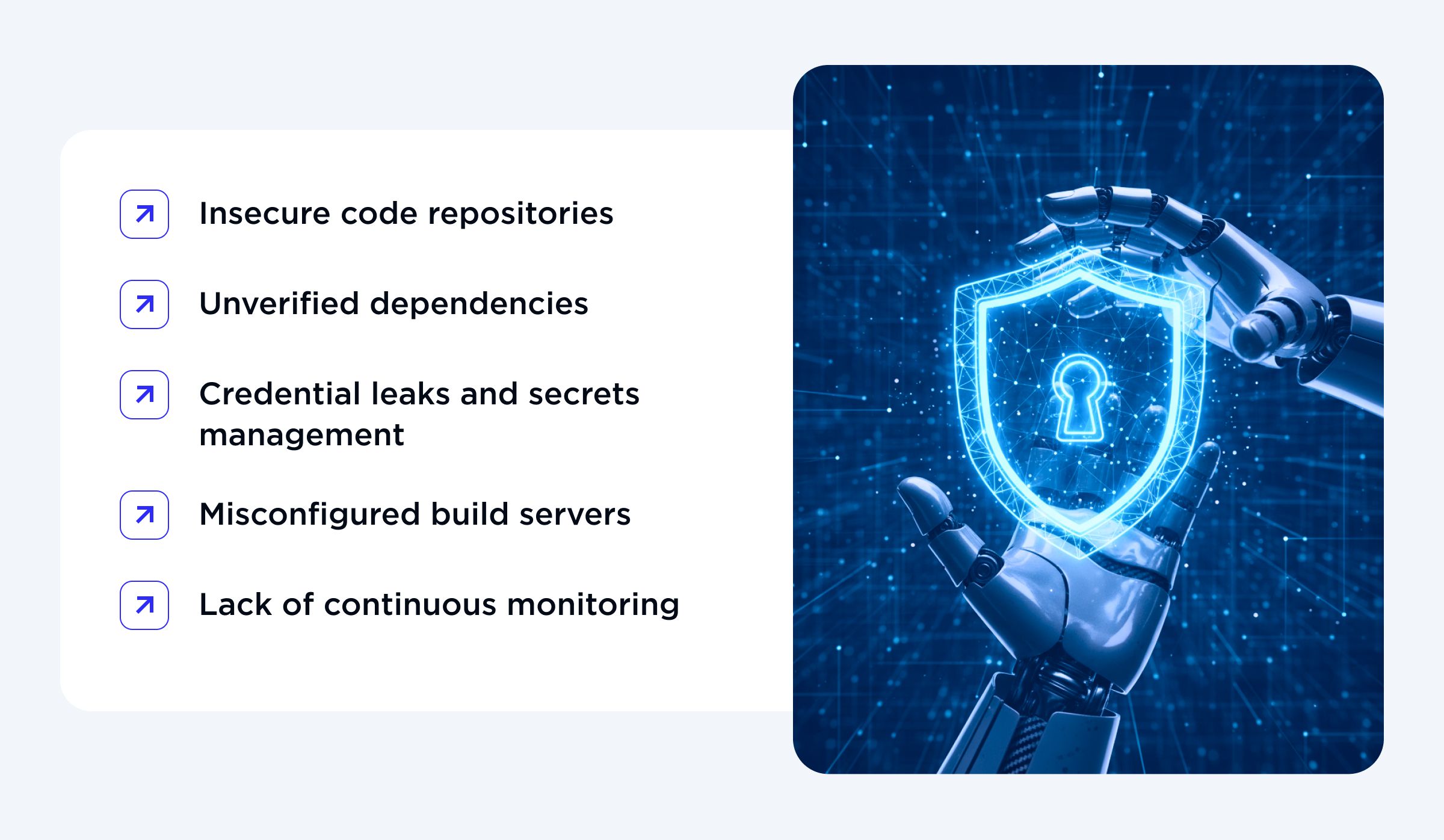
Here is the list of the most common risks that keep popping up in audits and real-world incidents.
1. Insecure code repositories
Insecure repos are often the first stop for attackers to break into a CI/CD pipeline because they contain source code, infrastructure-as-code, and sometimes helpful comments about passwords. Risks of such infiltration range from public repositories exposing sensitive data to weak access control, which allows ex-employees or compromised accounts to push code directly to main branches.
2. Unverified dependencies
Modern software is built on top of massive dependency trees. This creates fertile ground for supply chain attacks. Your pipeline can pull in one malicious or compromised-from-the-start dependency, build it, and deploy it, without any alarms or warnings.
That is how supply chain attacks spread so slyly and quickly: attackers post one malicious package or compromise a popular library, reaching thousands of downstream projects at once.
3. Credential leaks and secrets management
One of the biggest recurring sins in CI/CD pipeline security is storing secrets, such as API keys, tokens, and SSH credentials, in plain text. E.g., commits, config files, build logs, etc. Once those secrets leak, attackers can break into cloud accounts, databases, and other vital internal systems without touching the public perimeter.
Effective CI/CD security depends on keeping secrets out of the pipeline completely or storing them in a vault. Blindly hoping no one notices that the temporary tokens in a pipeline could cost a lot to a business in money, trust, and customer retention.

4. Misconfigured build servers
It might sound contradictory, but building servers like Jenkins, GitLab CI runners, or self-hosted GitHub Actions runners sometimes are way too powerful, which makes them an alluring target. They often run with high privileges and direct access to course code, artifacts, and deployment keys.
Open network access and dashboards, weak configurations, or default credentials can expose the system to some web risks, like cross-site scripting, if something is left unpatched. Once in, attackers can exfiltrate artifacts, inject code, or replay builds with modified steps, making typical application-level bugs feel minor compared to what a compromised runner can do.
5. Lack of continuous monitoring
The common mistake many teams still make is treating CI/CD as “internal plumbing” and neglecting to monitor it as closely as external endpoints or production applications. Pipelines move fast, and attackers inside them will move even faster to stay undetected.
Without continuous monitoring, real-time alerts, and basic anomaly detection, malicious scripts and suspicious attempts will go unnoticed. Attackers can sit quietly inside pipelines for weeks or months, turning them into a delivery system for malicious changes rather than awaited updates and releases.

Reach out to OTAKOYI if you are ready to secure your CI/CD pipeline!
CONTACT USBest Practices for Securing CI/CD Pipelines
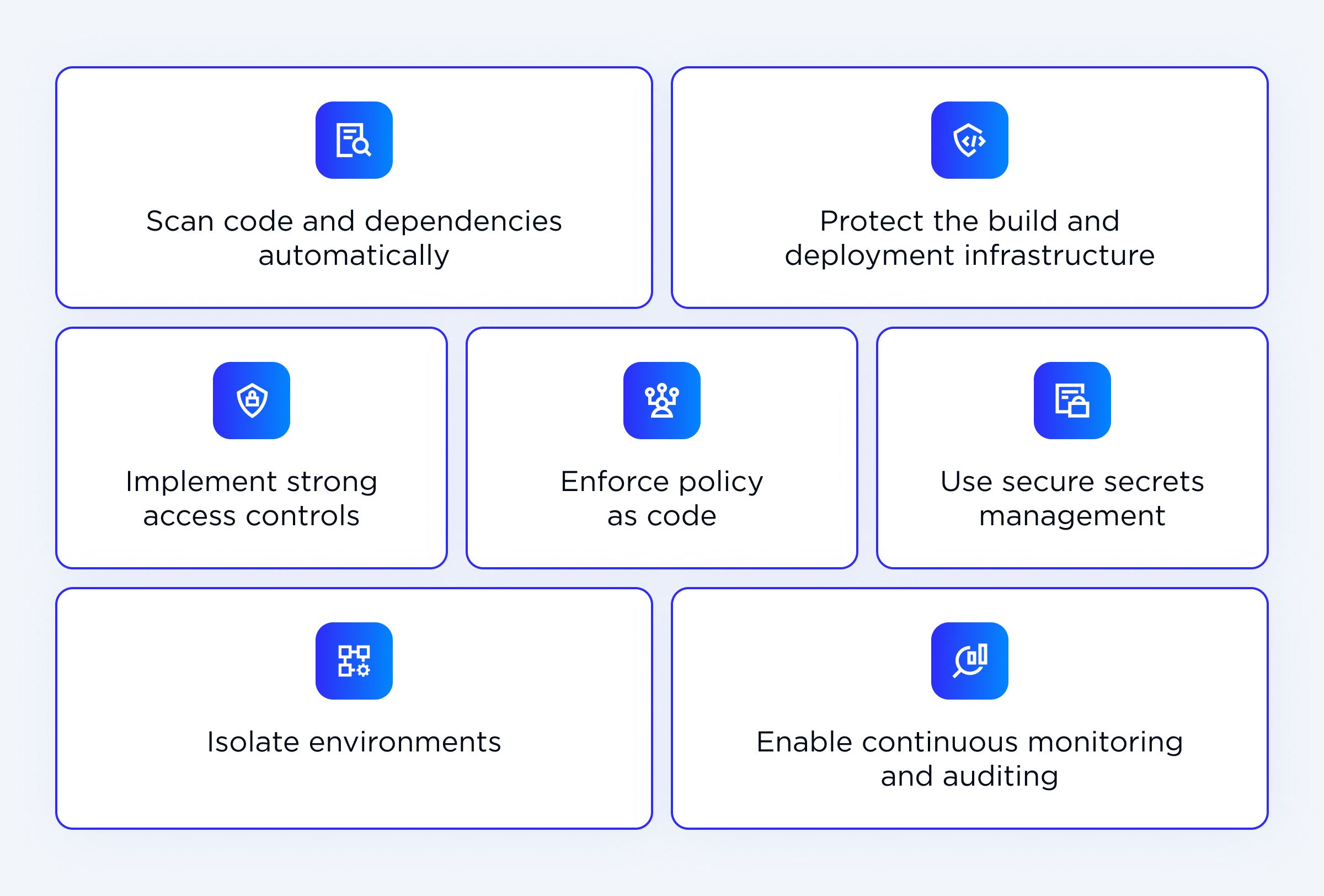
Now that you’ve got familiar with common security risks, it’s time to calm you down. The good news is you don’t need a 40-step routine and an external team to harden a pipeline. This CI/CD security best practices cheat sheet covers 7 industry-proven strategies that target the risks you have just covered.
1. Implement strong access controls
Good access management is your first line of real defense. GitHub and GitLab offer role-based access (RBAC) that you can utilise, and on top of that, apply least-privilege rules and tie everything to SSO integrations to track the activity. In case of any anomalies, proper access control makes incident response fast, straightforward, and less chaotic.
2. Use secure secrets management
Securing the CI/CD pipeline means finding effective tools for proper secret handling.
Step one: Ditch hidden-in-plain-sight API keys or tokens in code.
Step two: Use tools like HashiCorp Vault, AWS Secret Manager, or GitHub Secrets to inject them in runtime, complete with audits.
PROTIP: Remember to rotate keys regularly, every 90 days works well in practice, and avoid hardcoding credentials. And turn the alerts on for odd access.3. Scan code and dependencies automatically
One of the low-effort CI/CD pipeline security best practices is to automate scanning. Use static application security testing (SAST), dynamic application security testing (DAST), and dependency scans on every pull request. Tools like Snyk, Dependabot, or SonarQube catch vulnerabilities in your code and your libraries and propose fixes.
To repeat myself, supply chain attacks via compromised dependencies hit hard. Yet, automation stops them before the merge is possible.
4. Isolate environments
How to block attackers from spreading if one stage falls? Just like with a real virus, isolation keeps mistakes and intrusions contained. I highly recommend you fully segregate development, staging, and production environments. Moreover, you should use strict practices like containerization with Docker and ephemeral runners to run builds in isolated sandboxes that could self-destruct afterwards.
Such routine stops pipeline issues from overspilling into production, giving you secure spaces for testing changes.
5. Protect the build and deployment infrastructure
To begin with, think of the build servers and runners like high-priority targets that need extra bodyguards. Secure them in the way you would secure any critical application security components.
What does it mean? Simply put, network segmentations, hardened OS images, and TLS encryption everywhere. You should also remember that weak setups only invite code injections.
PROTIP: Put Jenkins or GitLab runners behind VPNs, run non-root, and scan images routinely. Encrypt your artifacts in storage like S3 for solid protection.

6. Enable continuous monitoring and auditing
Here’s the catch. When the pipeline is fast, attackers get to be even faster. That’s why you need to treat your pipelines like a production. You should log every step, add anomaly detection, and maintain audit trails. What is more, monitor CI/CD tools like GitLab CI, GitHub Actions, and Jenkins to flag whenever something unusual happens. Be on the lookout for odd commit times, unexpected IPs, strange environment variables, or dependency grabs.
Extra tip: Datadog can help you streamline some of the processes while integrating smoothly with your systems.7. Enforce policy as code
Automation is always a better strategy, no matter how many professionals are working on your security efforts. CI/CD security best practices prove that Open Policy Agent (OPA) is a must-have to codify rules around deployments, naming, access, and compliance. Write rules to check scans, RBAC, and more before deploys kick in.
That way, you program the pipeline to check every change against your policies, making security consistent and minimizing human errors.
Tools and Frameworks for CI/CD Security
Effective CI/CD pipeline security utilizes industry-proven practices and relies on solid tools, which automate vulnerability detection, enforce security policies, and integrate seamlessly in a continuous integration security workflow.
Here’s a clean comparison of my top picks:
| Tool | Key Features | Strengths |
| Aqua Security | Container and artifact scanning, runtime | Scans images and enforces runtime policies |
| GitGuardian | Secrets scanning and repo monitoring | Detects leaked credentials in code and repos |
| JFrog Xray | Dependency and artifact scanning | Monitors vulnerabilities in artifacts and libraries |
| Anchore | Image scanning and SBOM generation | Ensures images meet security and compliance standards |
| Snyk | Dep scanning, SAST, and auto-fixes | Dev-friendly, quickly finds code and dependency vulnerabilities |
Outside the major tools, there are some open-source alternatives. For example, you can look into:
- Trivy - for container scanning,
- OWASP Dependency Check - for detecting library vulnerabilities.
Most of the big-name tools and alt ones integrate into popular DevSecOps pipelines like Jenkins, GitLab CI, and GitHub Actions, enabling security checks at every stage.
Now, you want to avoid running every tool available. Find the right combination of tools for the environment, workflow, and risk tolerance that covers all the critical points on your CI/CD pipeline security without slowing down your development.
Building a DevSecOps Culture
Secure CI/CD is a shift-left approach that’s more about people than tools. How does it look? Shifting security left means embedding it early in the software development lifecycle, so it becomes a part of everyday workflow instead of a final check. Focus on training your developers in secure coding practices and using protected repositories with branch policies and obligatory code review. Every commit has to be scanned for potential blind spots, secret leaks, and misconfigurations before it’s sent down the pipeline. According to the Verizon DBIR research, code reviews spot 60% of bugs upfront.
Integrate security testing into CI workflows, covering all common vulnerability types. Documenting those test results improves compliance and turns testing into a learning opportunity for the entire team.
Collaborating between the DevOps and security teams is the backbone of the shift-left approach. Shared dashboards show scan failures and fix times. DevOps owns pipeline configurations, and security defines policies. However, everyone can review incidents blamelessly, making your security effort much more effective.
Let me break down CI/CD security strategies by pipeline stage (aka, a shared responsibility style).
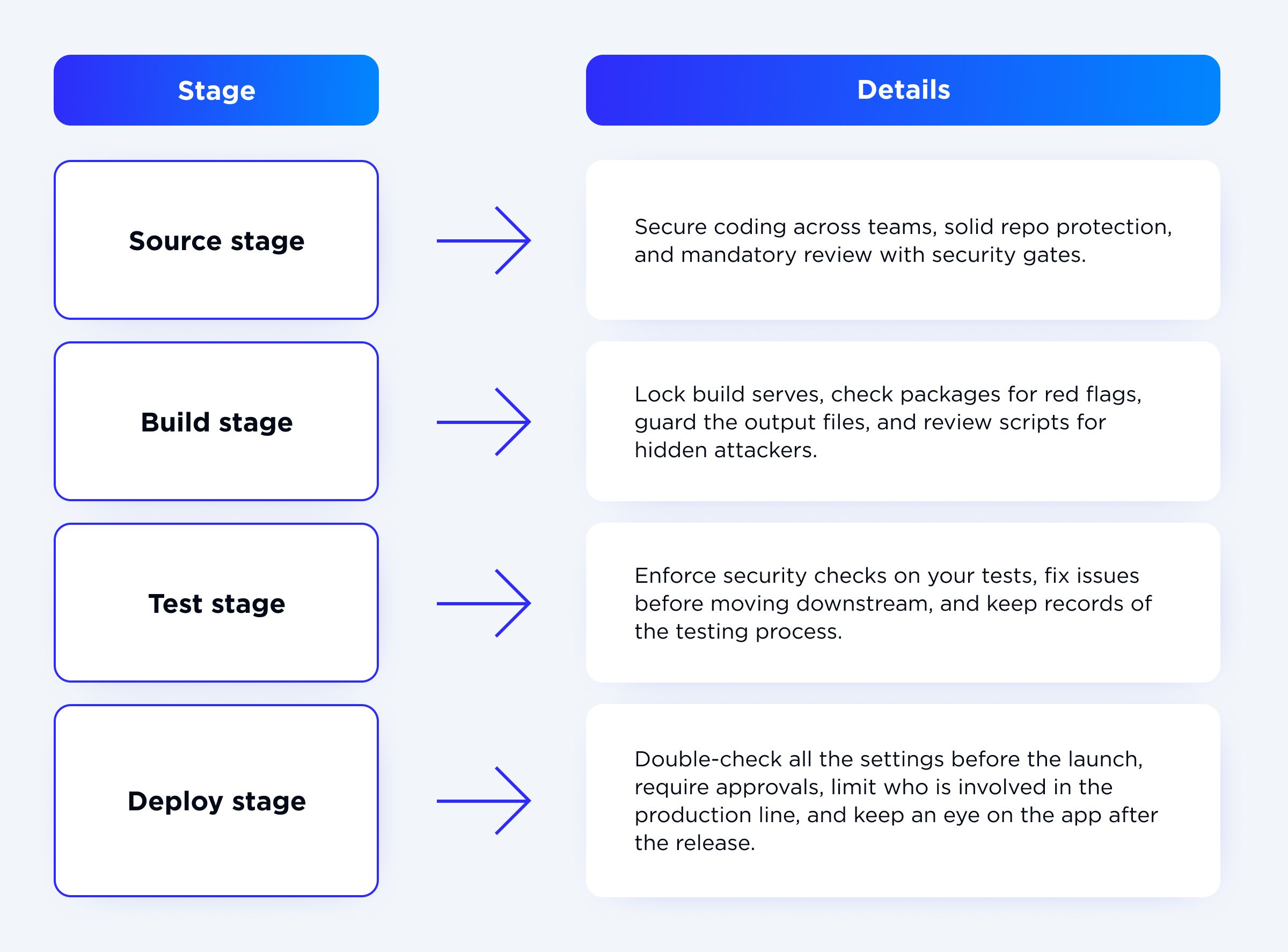
Such a layered setup flags and reacts to threats early. And most importantly, the team and the business feel the win. The result? Fewer fires to put out equals trust in a smoother deploy every time.
Conclusion
The main takeaway is pretty straightforward: strong pipelines are secure pipelines. By implementing those CI/CD pipeline security best practices and shift-left approach, companies can significantly reduce risk points and block possible entry ways, without postponing deployment. And we all know, in this business, slow development means a loss of trust, clients, and money.
I don’t exaggerate when I tell you this. Never ever neglect fostering a culture of shared responsibilities and ensuring that developers, DevOps, and security teams collaborate on CI/ CD security from day one. A well-documented incident response plan may guarantee the team can act swiftly when issues occur, mitigating the impact and keeping releases on track with the deadline. Ready to reap the benefits with the help of our OTAKOYI team?